The Best Driving Route App to Help You Plan the Speediest Route
You can maximize your day even when you run into unexpected situations and save time. How? Read this blog
There is no getting around the need to plan your day when your job necessitates travel.
There are many things you can't plan for, like traffic jams and canceled appointments, even though you can schedule your appointments, organize leads you want to follow up with, or decide what calls to make between meetings.
According to INRIX, congestion actually cost each American 97 hours and $1,348 in 2018. Traffic-related time lost per person exceeded 200 hours in cities with heavy traffic, like Los Angeles.
By using a driving route app, you can maximize your day even when you run into unexpected situations and save time planning your daily routes.
Here are some of the benefits of using this app
- By using this app you can easily reschedule or change the routes
- Planning, driving, and fuel-cost reduction through route optimization
- Get a quick distance between two places
- You can find the distance between multiple places and plan your route for the multiple places
When You Use Route Planning Geo Measure App:
You most likely don't need to worry about route planning for driving in most daily activities. But using a driving route app is crucial if your job entails visiting clients, delivering packages, or managing logistics.
Following are some scenarios where utilizing a Geo Measure is advantageous:
Measure a map, roofing, real estate, running, walking, building structures and roads, Golf courses, spraying, fertilizing, seeding, harvesting, tilling, biking, traveling, trip planning, gardens and paddocks, grass, lawn, measuring and planning, farmers, road repairing, sports, range finding, concrete, underground, paving, construction, agricultural measure, solar panel installation, roof area estimation.
How Do You Choose the Right Route App?
The best driving route app for you will depend on a variety of factors, including the size of your company, your budget, your business goals, and others. Driving route apps are not one-size-fits-all.
The Best Route-Checking App is Geo Measure.
When you want to buy some property and want to determine the area of that property, Geo Measure is the best free tool. Geo Measure will be your best friend and will provide you with the precise calculated area. The app is helpful for accurately calculating GPS area or distance. Any GPS area or distance can be measured in one of two ways. Either manually add markers to a map or use a GPS service to record your location.
1) Manual measurement
Geo Measure Area Calculator, run for FREE There are two options available when you click the PLUS button on the right-bottom: distance and area. When you select the appropriate option, you will have a choice between two additional options: manual measurement and GPS measurement. Select the first option, which will allow you to manually measure and apply markers to the MAP. Therefore, you are manually adding markers; this feature is known as manual measurement.
When measuring manually, you can add multiple markers to a map with a single click or touch. There is always a chance that you added a wrong marker to your MAP and that you would like to remove it or move it. Simply click once on the current marker to remove the incorrect one. Additionally, we offer a great feature called "Drag and Drop" for specific markers if you only want to change that marker's position. Simply hold any specific marker down for a brief moment and drag it to the desired location. And you will have the option to change that marker's position without erasing or putting in a new marker.
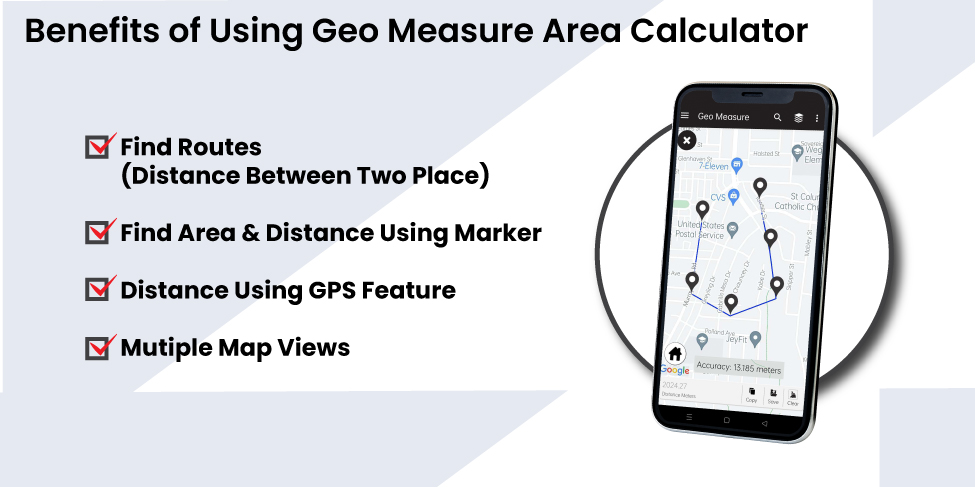
2) GPS measurement
When you open the FREE Geo Measure Area Calculator app, there are two options there, namely Distance and Area. When you select the appropriate option, you will have a choice between two additional options: manual measurement and GPS measurement.
Select GPS measurement as your first option. Additionally, the app will let you choose to record your current GPS location. That choice is available. The top of the map is where you should start recording. Your current position will begin to be recorded as soon as you click Start recording. Now all you have to do is move around in the area where you want to calculate the area or distance. Once you've finished taking your measurements, click Stop recording. Because you don't need to manually enter your location, the application uses your GPS position to record your location. For this reason, we refer to this feature as GPS measurement.


