How to Use a GPS Land Survey App for Accurate Measurements
How to Use a GPS Land Survey App for Accurate Measurements
Land survey is one of the most important processes in construction, agriculture, civil engineering and real estate. Traditionally, surveyors depend on physical units such as chai ns, theodolites and total stations. While they were accurate, these methods were time and required considerable labor.
With the emergence of GPS Land Survey apps, professional and even non-technical users can now directly measure the exact measurement directly from the smartphone or tablet. These apps combine the Global Positioning System (GPS) technology with advanced mapping and measurement algorithms, making the research process quickly, more cost -graduated and more reliable.
In this article, we will explain how to use the GPS Land Survey app for best practice to ensure accuracy in your projects as well as accurate measurement, step by step.
1. Why GPS Land Survey Apps Are Changing the Game
Before diving into the process, it is important to identify why these apps receive global traction. A GPS Land Survey app uses Global Positioning System (GPS) satellites to indicate the exact coordinates on the Earth's surface. Modern apps are often integrated with GNSS receiver, cloud storage and mapping software, which allows you to collect data in real-time with accuracy at centimeter level. Compared to traditional methods, which can take hours, these apps streamline workflow, enabling rapid results while maintaining credibility. In addition, the portability allows users to conduct examination in remote or robust areas without transporting heavy equipment.
2. Preparing to Use a GPS Land Survey App
The first step in using the GPS Land Survey app is the first step preparation. Not all apps are made the same, so it is necessary to choose the person who meets the requirements of your project. See real-time Kinematic (RTK) for functions such as support, offline mapping, 3D visualization, export format (CSV, DXF, KML) and cloud integration. When you have the right tool, make sure your device has a stable internet connection and a fully charged battery. Many professionals also add their smartphone to extended accuracy with an external GNSS receiver, especially in projects where under-measurement or centimeter precision is important.
In addition, you can familiarize yourself with the app interface before entering the area. Most modern applications have training programs or demo mode that allow you to practice numbers, lines and polygons. By investing time in learning checks, you can avoid errors during real data collection.
3. Setting Up for Accurate Measurements
In order to achieve accurate measurements, calibration and layout are important. Start by checking the app location settings to ensure that it reaches the highest accuracy from GPS or connected to the recipient on your device. Enter your favorite coordination system (eg UTM or WGS84) based on project requirements. Then configure the measurement devices for distance, region and height.
For larger projects, base maps or project file can help organize data in the app. This allows you to mark boundaries, add reference points and record metadata before starting an actual examination. Some apps also allow integration with drone mapping or GIS software, making it easier to imagine data in a wider context.
- Use the app in open areas for strong GPS signals.
- Avoid clouds or rain conditions that may interfere with accuracy.
- Let's slowly move with boundaries to prevent lack of points.
- Double -checked measurement by repeating the survey if necessary.
- Use professional GPS receiver when complete precision is necessary.
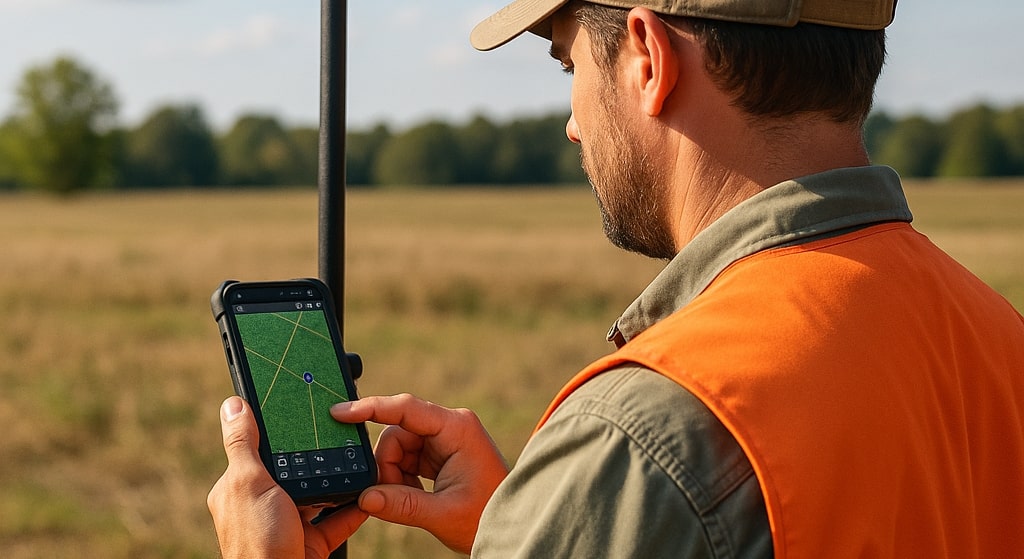
4.Collecting Field Data Step by Step
When the layout is complete, you can start data collection in the field. Here is a specific step-by-step process:
Mark Survey Points - Use the app to release sticks in specific places. Stand for a few seconds at each point to allow the GPS signal to stabilize.
Measure boundaries and lines - Move with real estate lines, roads or project boundaries, while the app records continuous coordinates to create an accurate polylline.
Catch high data- many apps provide height readings, which are important for design, topography and drainage projects.
Register features-ADD notes, images or custom labels at each point for better reference under-mail processing.
Check the level of accuracy - most apps show accuracy estimates in real time. If the results are outside the acceptable area, repeat the measurement or use the difference in difference.
By following this process, you can ensure that each piece of field data is accurate, well documented and ready for further analysis.
5.Ensuring Accuracy and Reducing Errors
Although GPS Land Survey apps are powerful, accuracy can still be affected by environmental factors such as tall buildings, dense forests or poor satellite visibility. To reduce these problems, surveyors must collect data under clear sky conditions whenever possible. Using RTK improvement service can significantly improve accuracy by fixing satellite errors in real time.
Another effective way is to make more readings on the same point and calculate the average. This randomly reduces errors and increases confidence in your measurement. Many apps also allow raw data for further processing to GIS or CAD software.
6.Post-Processing and Data Export
When the data collection is complete, the next step after processing is. Most GPS Land Survey apps allow you to clean, edit and organize your data in the app. You can remove duplicate points, adjust the boundaries and merge the data layers for better visualization.
Export options are another important aspect. Depending on the project, you may need to export to CSV for a spreadsheet, KML for Google Earth or DXF for AutoCAD. Having versatile export functions ensures easy integration with existing workflows. Cloud Syncing also lets Team share data immediately with colleagues, customers or project managers.
7.Practical Applications of GPS Land Survey Apps
The use of GPS Land Survey apps is spread in many industries. In construction, they are used for place plan, base layout and progression monitoring. In properties, they help property owners to mark boundaries and loose land disputes. Agricultural benefits from the exact area mapping and irrigation scheme. Even environmental projects such as forest monitoring and evaluation of flood risk depends on GPS-competent studies. This versatility makes technology inevitable in today's data -driven industries.


